
VCOS Studio
Beta
Beta feature. Report issues via Bug report.
AutoC reads and writes ECUC configuration through VCOS Studio. On Settings → Install paths, select the Studio .venv created by init_env. The project directory contains *.vcosproject.
The .venv should sit beside the Studio install (for example D:\code\haloos\vcos\.venv). It must be Python 3.8.x. AutoC does not create that environment.
Open the project and set paths
- Open a project — pick the folder that contains
*.vcosproject. - Settings → Install paths: set
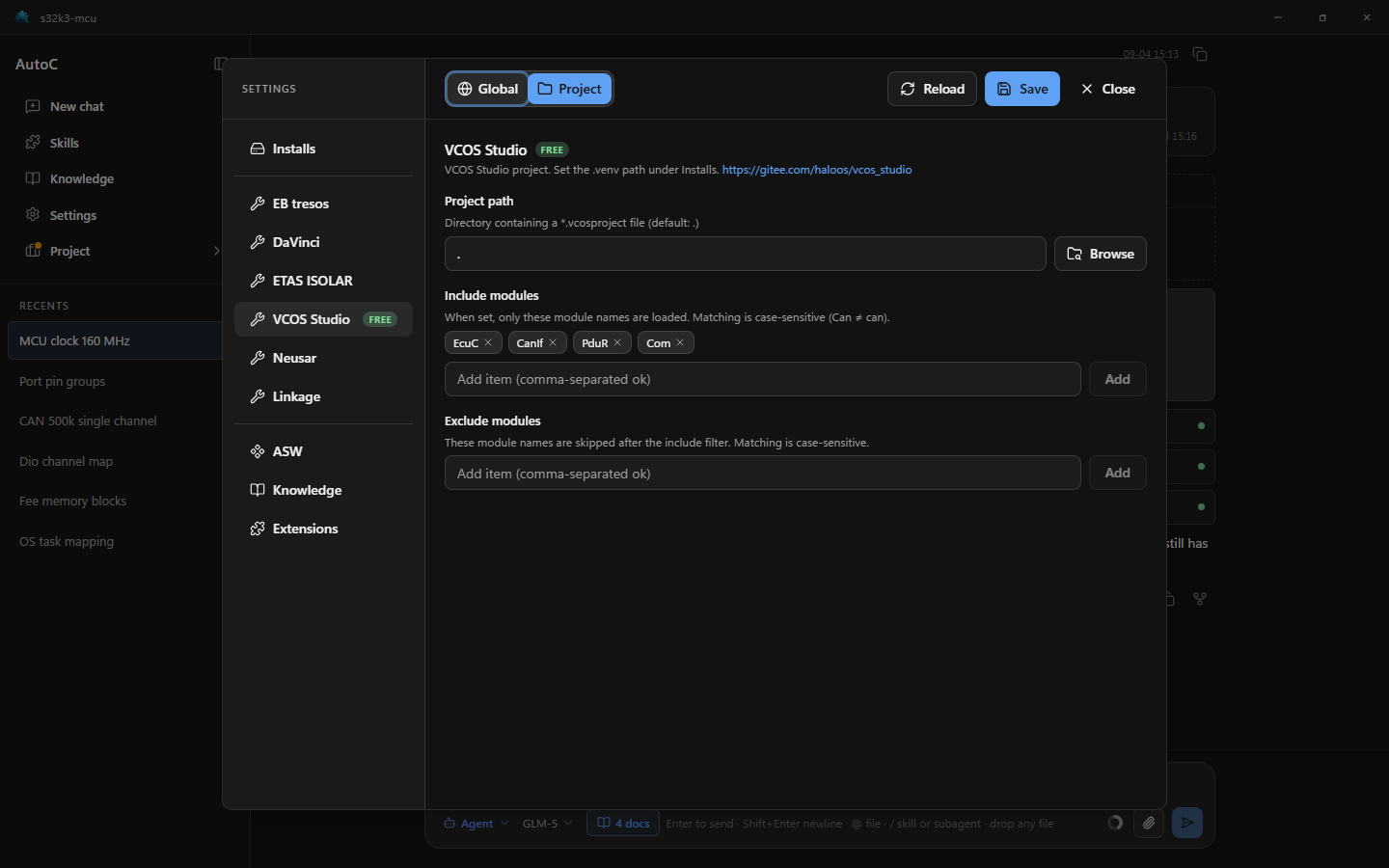
.venv. - Settings → VCOS Studio: confirm the project path. When several tools share a module, set the owner under Settings → Module linkage. See Module linkage.
- Click Save, then Reload.
Success: a VCOS Studio card under Project → Project info. Use Save, Verify, and Generate on a module. For a module shared by several tools, Save it on the owner's card.
Advanced
Module filters — Include modules / Exclude modules on Settings → VCOS Studio (case-sensitive).
ASW — foreign-reference enums; always scans the open project. See ASW.
Configuration sync
When several tools are used together, choose each module's owner under Settings → Module linkage. Saving the owner writes the shared parameters into the same module on the other tools. See Module linkage.