
MCP
Connect outside tools to chat: chip-manual search, repository actions, local folders, and similar. Open MCP in Settings.
The header switches Global and Project. A project server with the same name replaces the global one.
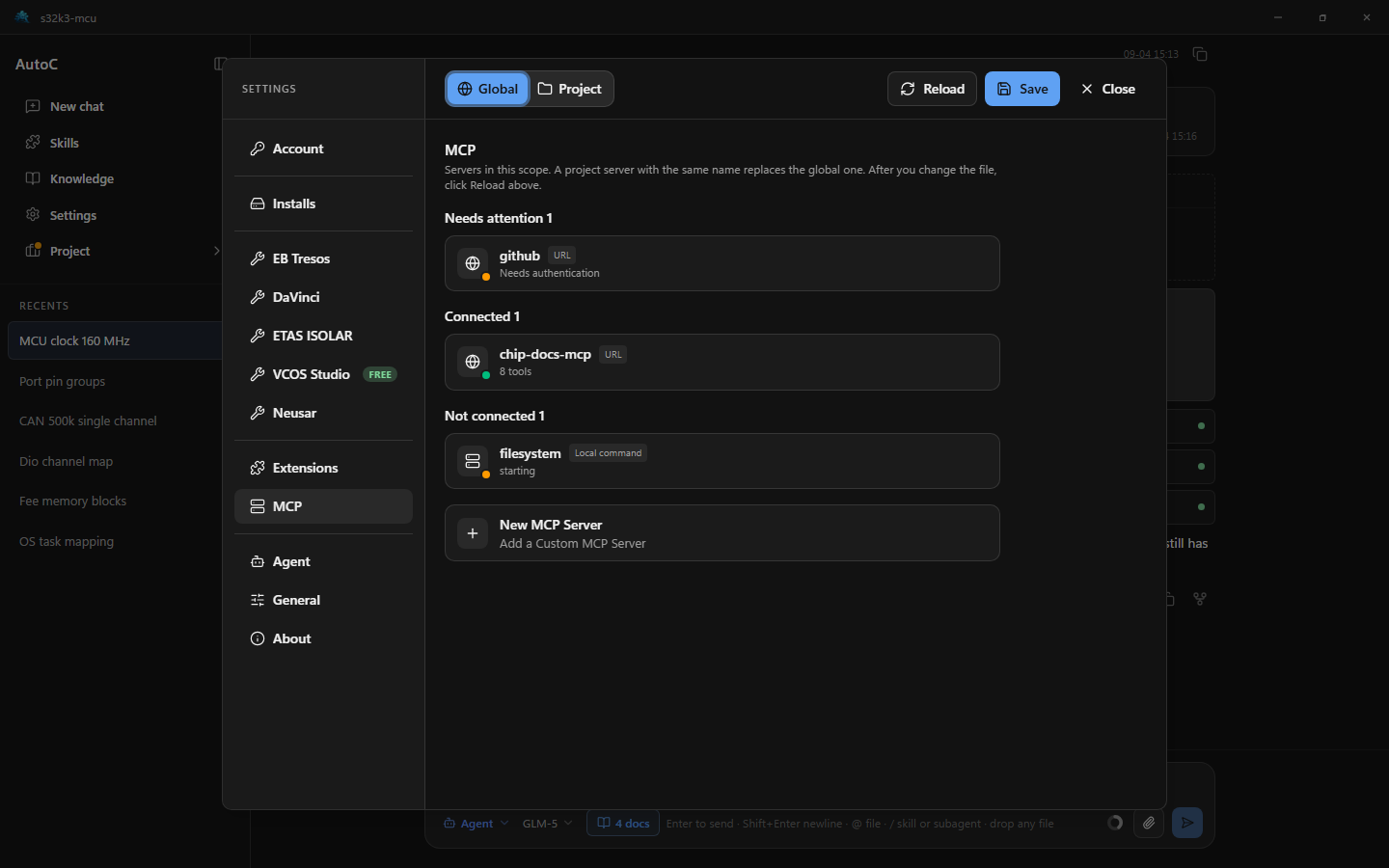
Add a server
Servers live in a config file. The settings page lists them, enables them, and handles sign-in.
| Scope | File |
|---|---|
| Global | ~/.autoc/agent/mcp.json |
| Project | .autoc/mcp.json in the repo |
- Open Settings → MCP and pick Global or Project.
- Click New MCP Server to open the file in your system editor. A blank file is created if it is missing.
- Add entries under
mcpServersand save. - Back in Settings, click Reload at the top. Editing the file does not refresh the page by itself.
{
  "mcpServers": {
    "chip-docs-mcp": {
      "url": "https://docs.example.com/mcp"
    },
    "filesystem": {
      "command": "npx",
      "args": ["-y", "@modelcontextprotocol/server-filesystem", "."]
    }
  }
}
Use url for a remote server, command to start one locally. Environment variables: "env": { "TOKEN": "${TOKEN}" }. Headers: "headers": { "Authorization": "Bearer ${TOKEN}" }.
Connect and sign in
The list is grouped into Needs authentication, Connected, and Not connected. Click a row for details.
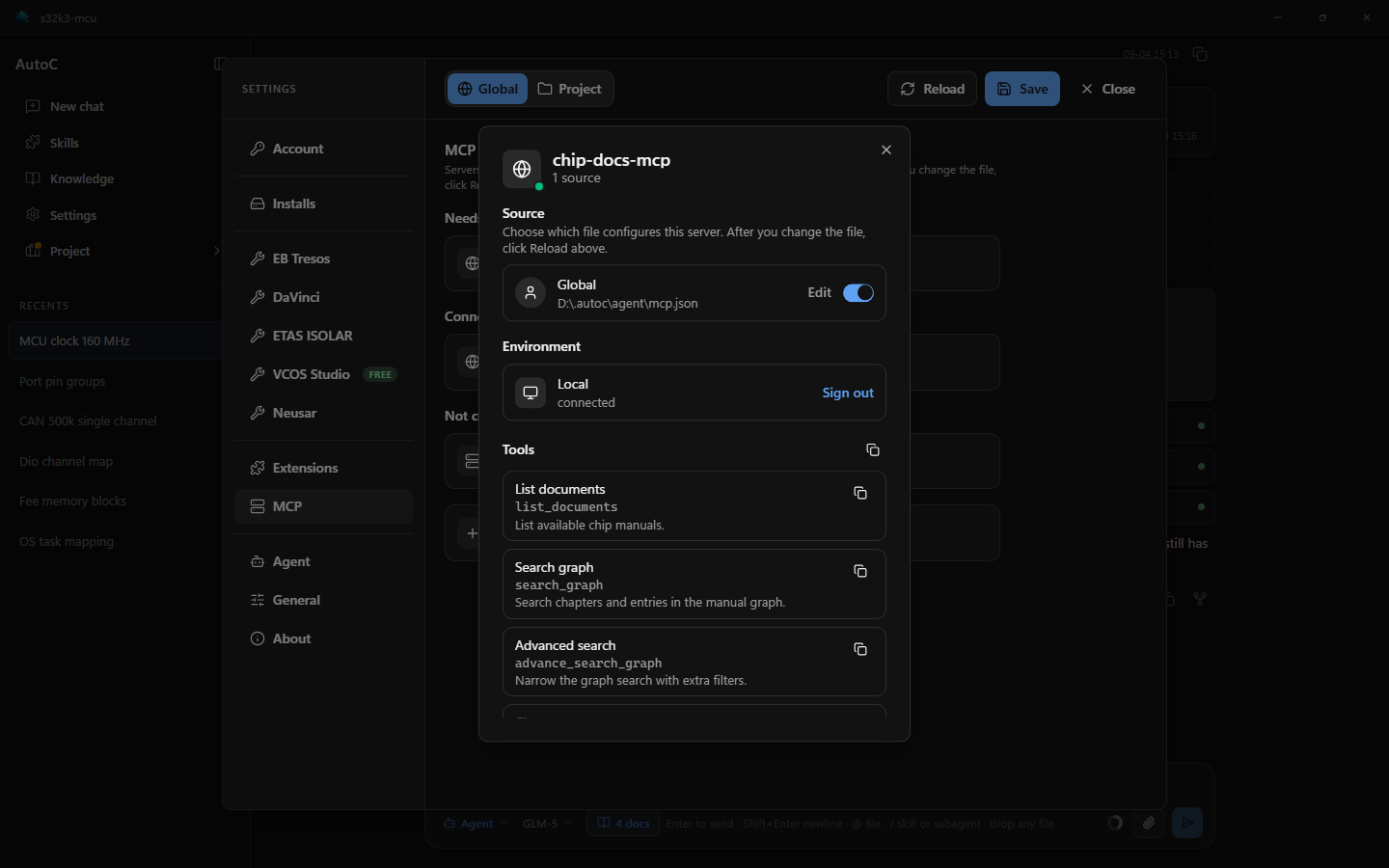
- Servers that need a login: Authenticate, finish the browser flow, then return here.
- Otherwise: Connect.
- Disable the server in the details, or click Edit to change the file. Click Reload after saving.
Once connected, tools and resources are listed. Names can be copied.
exposure
A server often ships many tools. Each declared tool takes space in the conversation context. exposure does not control whether the server connects; it only controls whether and when those tools are given to the model.
Omit it for deferred. After a connection, Settings still lists every tool. What changes is whether the model can call them.
| Value | Behavior |
|---|---|
deferred | Default. Tools are not in the model's tool list at the start. The system prompt only names the server and a one-line summary. When chat needs them, it calls tool_search, loads the matches, then calls those tools directly. |
direct | Declared like built-in tools as soon as the turn starts. Many tools use more context. |
hidden | Connected but unreachable. Use with toolExposure below to expose only a few tools. |
The older names codemode and codemode-deferred mean deferred.
toolExposure overrides the server exposure for individual tools. Keys are the names the server offers, or patterns with *. An exact name wins; among patterns the first match in the object wins.
{
  "mcpServers": {
    "chip-docs-mcp": {
      "url": "https://docs.example.com/mcp",
      "description": "Chip manual search",
      "exposure": "hidden",
      "toolExposure": {
        "search_graph": "deferred",
        "list_*": "deferred"
      }
    }
  }
}
That server hides every tool, then allows search_graph and names starting with list_ through search. Manual servers with many tools fit deferred or a whitelist like this. Split PDFs and Markdown can still go in the knowledge library.
description is one sentence about what the server offers. For deferred servers it appears in the system-prompt catalog and is used when ranking tool_search results.