
Neusar
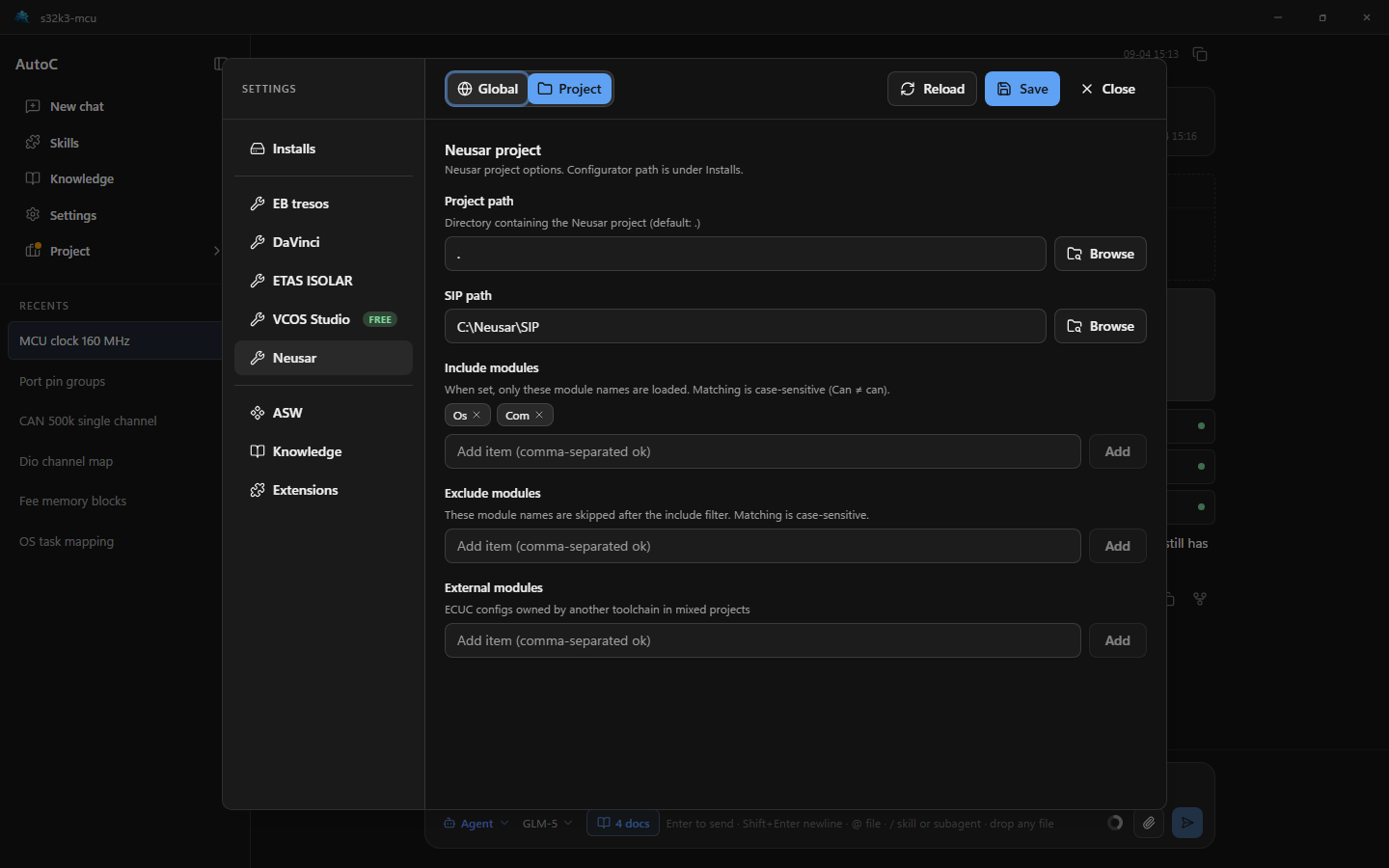
AutoC reads and writes ECUC configuration through Neusar. On Settings → Install paths, select the Configurator install root (the folder that contains Bin/ — not Bin itself). The project directory contains *.nccf (or *.neusarprj).
SIP is installed with the Configurator. AutoC picks the version named in the project file; several SIPs may be present under the install.
Open the project and set paths
- Open a project — pick the folder that contains
*.nccf. - Settings → Install paths: set the Configurator install root.
- Settings → Neusar: confirm the project path. For mixed projects, set External modules — Configuration sync.
- Click Save, then Reload.
Success: a Neusar card under Project → Project info. Use Save and Verify on a module. Generate is on the card header and runs for the whole project; it verifies first and skips generate if verification fails. For mixed projects, Save MCAL on the EB card.
Advanced
Module filters — Include modules / Exclude modules on Settings → Neusar (case-sensitive).
ASW — foreign-reference enums; always scans the open project. See ASW.
Configuration sync
In mixed projects, EB configures MCAL and Neusar configures the rest of the BSW. Unlike DaVinci, you must declare External modules on the Neusar side so Save on an EB module in Project info can sync MCAL into Neusar ECUC ARXML.
- Set paths as above and in EB tresos, then save and reload
- Open Settings → Neusar → External modules and enter Neusar-side config names (e.g.
Can,Mcu— not the EB nameCan_43_FLEXCAN) - Edit EB MCAL, then Save that EB module in Project → Project info
| What you change | In Project info |
|---|---|
| EB MCAL listed under External modules | EB module Save (syncs Neusar ECUC ARXML) |
| Neusar-owned stack modules | Neusar module Save, Verify; project Generate |
Module config names may differ (EB Can_43_FLEXCAN ↔ Neusar Can), but container SHORT-NAMEs should match — sync writes by container path.
| Notes | |
|---|---|
| Use | Neusar ECUC config names (Can, Mcu) |
| Not | EB plugin names (e.g. Can_43_FLEXCAN) |
| vs Exclude modules | External modules = not loaded by Neusar, but ARXML mirror target for EB save |